




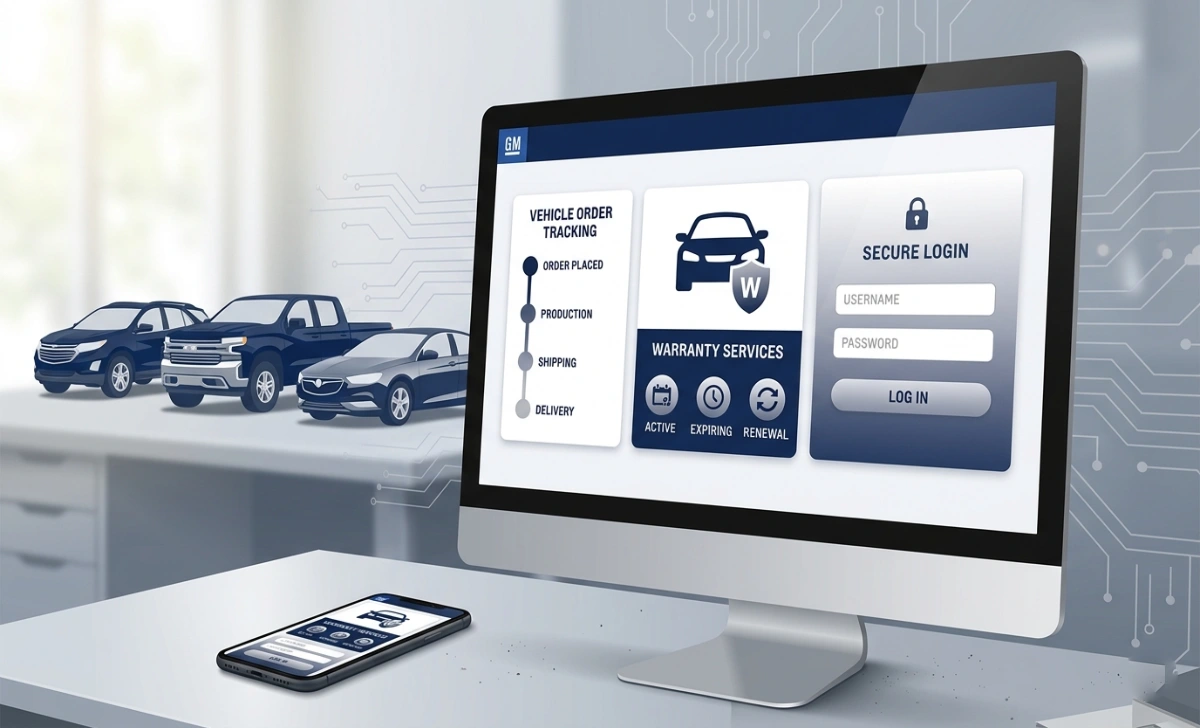
GMGlobalConnect is General Motors’ official web portal for authorised dealers, suppliers, and business partners. It provides access to vehicle ordering, warranty claims, delivery tracking, parts management, training, and performance reporting. The current login page is hosted at gcp.vsp.autopartners.net.
GMGlobalConnect is General Motors’ official dealer portal. If you are trying to log in, the current active URL is gcp.vsp.autopartners.net — the original gmglobalconnect.com now redirects there. If you are not an authorised dealer or supplier, this portal is not for you; GM’s consumer platforms handle vehicle owner services separately.GM
This guide covers the login process, what the portal does, common access problems, and how to get credentials if you are a non-dealer partner.
The Login URL — What Changed and Where to Go in 2026
The original domain www.gmglobalconnect.com no longer hosts the portal directly. It redirects to autopartners.net, and the active login page sits at:
gcp.vsp.autopartners.net
This redirect chain trips up dealers who bookmarked the old URL years ago and now get unexpected redirects or assume the portal is down. It is not — it has moved.
What to do: Bookmark gcp.vsp.autopartners.net directly. Do not rely on the redirect, especially if you are troubleshooting or working from a network with redirect restrictions.
VSP stands for Vehicle Sales & Parts — the operational core of what the portal manages.
Who GMGlobalConnect Is For
This is a restricted, business-only platform. It is not open to the public and has no self-registration.
Who has access:
- Authorised GM dealers and dealership staff (with accounts set up by a dealer administrator)
- Suppliers and business partners (via regional help desk request — covered below)
Who does not:
- GM vehicle owners — use myChevrolet, myCadillac, myBuick, or myGMC, depending on your vehicle brand
- GM employees — they have a separate internal portal for HR, payroll, and company communications; credentials are not shared.d
If you are a GM employee and you landed here trying to access payroll or benefits, you are in the wrong place.
What You Need Before You Log In
Have these ready before you open the login page:
- GMID — your username, assigned when your account was created. It is not the same as your employee ID or dealer code.
- Registered password — set during account creation or after a reset
- Support browsers — Google Chrome, Microsoft Edge, or Mozilla Firefox (current versions). Older browsers and Internet Explorer will not work and will produce errors or a blank page.
- JavaScript and cookies enabled — required for the portal to load correctly
- MFA device — if your dealership has multi-factor authentication active, you will need your registered phone or authenticator app
How to Log In: Step-by-Step
- Open Chrome, Edge, or Firefox and go to gcp.vsp.autopartners.net
- Enter your GMID in the username field
- Enter your password
- Click Log In
- If your account covers multiple locations, select your dealer code when prompted.ted
- Complete MFA verification if required (see below)
- You will land on your personalised dealer dashboard
That’s the full process when credentials and browser settings are correct. Most login failures happen at step 6 or because of a browser issue — both covered in the troubleshooting section below.
Multi-Factor Authentication (MFA)
If MFA is enabled on your account:
- A one-time code will be sent to your registered phone via SMS, or generated in your authenticator app
- Enter the code in the verification field when prompted
- The code expires quickly — enter it immediately
- GM support will never ask you for this code. If anyone requests it, it is a phishing attempt.
If you have not set up MFA and your dealership requires it, you cannot complete the login until it is configured. Contact your dealership administrator — not GM support — to set it up.
What GMGlobalConnect Actually Does
Once logged in, the portal covers the main operational needs of running a GM dealership:
Vehicle ordering and delivery tracking. Dealers place new vehicle orders directly through the portal. After an order is submitted, real-time status updates show where the vehicle is in the production and shipping process — useful for giving customers accurate delivery windows.
Warranty claim:s Claims for vehicles and parts are submitted and tracked entirely within the portal. This eliminates the need to call GM’s warranty line for routine claims.
Delivery reporting: ng Dealers report completed vehicle deliveries through the portal, which feeds GM’s inventory and sales data at the manufacturer level.
Parts ordering and inventory: Search for parts, check availability, place orders, and track shipments without leaving the portal.
Performance reporting: Sales volume, inventory levels, and customer satisfaction data are available in the dealer analytics dashboard. These are the same figures GM uses when evaluating dealership performance.
Training and certification GM makes product training modules and certification programs available through the portal, including content on new model features, compliance requirements, and sales processes.
Product news and preview.s Dealers get access to GM announcements and product previews ahead of public releases.
User Roles and What Each Can Access
Not everyone at a dealership needs the same access. Dealer administrators control which features each staff member can see.
| Role | Typical access |
|---|---|
| Dealer Administrator | Full portal — ordering, analytics, user management, all reports |
| Sales Staff | Inventory, vehicle specs, and delivery tracking |
| Service / Parts Teams | Warranty claims, parts ordering, and technical service bulletins |
| Finance / Compliance | Dealer statements, performance reports, policy documents |
If a feature is missing from your view, it is almost certainly a permissions issue. Contact your dealership administrator before calling GM support — most access problems are resolved at the admin level.
How Non-Dealers Get Portal Access
If you are a supplier, partner, or non-dealer personnel, the process is:
- Go to www.gmglobalconnect.com (or directly to the VSP portal)
- On the login page, scroll to the bottom and find: “Please contact your local help desk for all GlobalConnect support.”
- Click the help desk link and select your country.
- You will see regional contact details — an email address and sometimes a phone number.
- Send a request with your business credentials, company name, and the type of access you need
- The regional help desk will respond with the next steps
Response times vary by region. Have your company documentation ready before you reach out — the help desk will ask for it.
Troubleshooting Common Login Problems
Account locked
Repeated failed password attempts trigger an automatic lock. This also happens with inactive accounts or after role changes. You cannot unlock it yourself. Contact your dealership’s IT administrator or HR team with your GMID, and they can reset access. Have your employee information ready — they will need to verify your identity.
Password not working
Use the “Forgot Password” link on the login page to start a reset. After setting a new password, sign out of any active sessions and log in fresh. Passwords require a mix of uppercase and lowercase letters, numbers, and special characters — though the exact policy is set at the system level and may update without notice.
Page won’t load or shows an error.s
Work through these in order:
- Clear browser cache and cookies — the most common fix for portal loading issues
- Switch browsers — move to Chrome or Edge if you are on anything else
- Disable your VPN temporarily — some VPN configurations block the portal’s authentication flow
- Wait and retry — if there is a system outage, the portal will be unavailable for all users; try again after 15–20 minutes
- Try a different device — rules out device-specific configuration issues
If none of these resolve it, use the help desk link at the bottom of the login page to contact your country-specific support team.
MFA code not arriving
Check that your registered phone number is current. If you have changed phones or numbers since setting up MFA, the code will go to the old number. Contact your dealership administrator to update your MFA registration — this cannot be done from the login page.
Redirect loop or browser error on gmglobalconnect.com
This is a known issue when bookmarks or saved links point to the old domain. Clear your browser cache, then navigate directly to gcp.vsp.autopartners.net rather than going through gmglobalconnect.com.
Security Basics for Your Dealer Account
Your portal account has access to vehicle orders, financial reports, and customer data. Treat it accordingly:
- Use a password you do not use anywhere else
- Enable MFA — it is the most effective single control against unauthorised access
- Never share your GMID or password with colleagues, and never share your MFA code with anyone, regardless of who they claim to be
- Sign out completely when using shared or public computers
- Avoid the portal on public Wi-Fi; use mobile data or a trusted VPN
- Bookmark the direct URL at autopartners.net to avoid phishing pages that mimic the portal login
FAQs
Can GM vehicle owners use GMGlobalConnect? No. This portal is only for authorised dealers, suppliers, and business partners. Vehicle owners should use the brand-specific consumer app for their GM vehicle — myChevrolet, myBuick, myGMC, or myCadillac.
Is this the same as the GM employee portal? No. GM employees use a separate internal system for HR, payroll, and benefits. The dealer portal and employee portal have different login pages, credentials, and dashboards. Do not attempt to use dealer credentials on the employee portal or vice versa.
What is a GMID? It is your username for the GMGlobalConnect portal, assigned when your account is created. It is not your employee ID, dealer code, or email address. If you do not know your GMID, your dealership administrator can look it up.
What does VSP stand for? Vehicle Sales & Parts — it describes the operational scope of the portal that hosts the GMGlobalConnect login.
Is there a mobile app for GMGlobalConnect? As of this writing, GMGlobalConnect is a browser-based portal. It is not a dedicated mobile app. The portal may function on mobile browsers, but it is designed for desktop use.